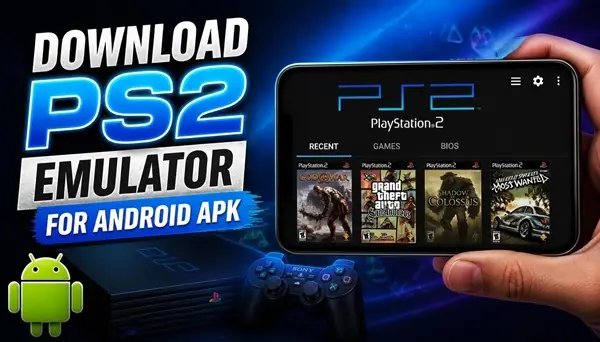
Do you want to play your favorite PlayStation 2 games directly on your Android smartphone? With a PS2 emulator, you can bring classic console gaming to your phone and enjoy many popular titles wherever you go.
You don’t need to buy a separate console or connect your phone to a television. All you need is a compatible Android device, an emulator, and your own PS2 game files.
Download PS2 Emulator APK for Android
A PlayStation 2 emulator allows your Android phone to run compatible games originally designed for the PS2 console. One option to explore is NetherSX2, a community-maintained emulator project based on AetherSX2. It offers a way to experience classic PlayStation 2 games on supported Android devices.
Download the emulator APK from a trusted project source and install it on your smartphone. Before installing, make sure your device has enough free storage and that your Android version is compatible with the release you choose.
How to Install a PS2 Emulator on Android
After downloading the APK file, open it on your phone and follow the installation instructions. If Android asks for permission to install applications from your browser or file manager, enable the relevant permission for that application and continue.
Once installation is complete, open the emulator and follow its initial setup instructions. Depending on the version, you may need to select a compatible PS2 BIOS file obtained from your own console. The emulator does not normally include this file or the games themselves.
How to Play PS2 Games on Your Android Phone
After completing the initial setup, add the folder containing your legally obtained PlayStation 2 game files to the emulator’s game library. The available games should appear in the interface when the files are supported and correctly configured.
You can then select a game and try running it. The emulator may let you customize the resolution, graphics settings, touchscreen controls, and other options. If you have a compatible Bluetooth controller, you may also be able to connect it for a more console-like gaming experience.
Can Your Android Phone Run PS2 Games?
Performance depends on your phone’s processor, graphics hardware, RAM, and the particular game you want to play. Some games may run smoothly, while others can experience slowdowns, graphical problems, or compatibility issues. More demanding titles generally require more powerful hardware.
If a game runs slowly, try lowering the internal resolution and adjusting the available graphics settings. Closing other applications may also help free up system resources. Keep in mind that not every PlayStation 2 game will work perfectly on every device.
Download PS2 Emulator APK Free
If you want to revisit classic PlayStation 2 games, an Android emulator is a convenient option to explore. NetherSX2 is one project worth investigating, and its community-maintained releases and installation instructions can be found on GitHub.
Download the emulator from the project source, complete the setup, add your own compatible BIOS and game files, and explore the games that work best on your smartphone.
Download the PS2 emulator APK for Android and enjoy the experience of playing classic PlayStation 2 games on a portable device.
