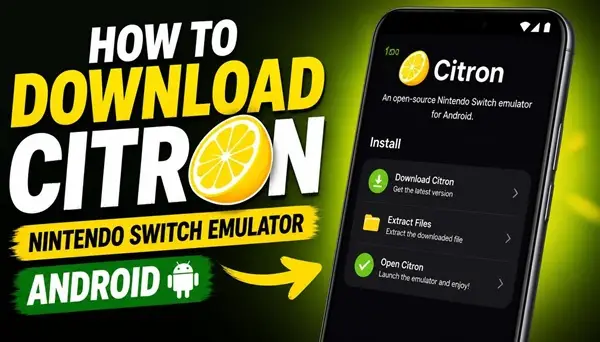
Citron is a Nintendo Switch emulator designed to bring console gaming to Android devices. With this application, you can experience Nintendo Switch games directly on your smartphone or tablet, without needing the original gaming console.
The emulator provides an opportunity to explore a large library of Nintendo Switch games using your Android device. Whether you want to revisit your favorite adventures or discover games you haven’t played before, Citron offers an interesting way to enjoy console gaming on a mobile screen.
What Is Citron Emulator for Android?
Citron is an open-source Nintendo Switch emulator project that aims to reproduce the functionality of the Nintendo Switch system on compatible devices. Its Android version allows users to run supported games using their smartphone’s hardware.
The application is designed for Android devices with sufficient processing power and graphics capabilities. Performance depends on the phone’s processor, GPU, RAM, Android version, and the compatibility of each individual game.
Citron Emulator Features
Citron allows you to run supported Nintendo Switch games on Android. Compatibility and performance can vary significantly between titles.
Customizable Controls
The emulator provides on-screen controls, allowing you to play games using your touchscreen. Depending on the version, external game controllers may also be supported.
Graphics Settings
You can adjust available graphics options to find a balance between visual quality and performance. Different settings may work better depending on your smartphone.
Save and Load Progress
Supported save functionality allows you to continue your gaming sessions without starting from the beginning.
Android Compatibility
Citron is developed for Android devices, making portable Nintendo Switch emulation possible without a traditional console.
How to Install Citron Emulator APK on Android
Installing Citron on your Android smartphone is straightforward. First, download the Citron APK installation file using the link provided on this page.
Once the download is complete, open the APK file. If Android requests permission to install applications from this source, allow it in your device settings.
Continue with the installation process and wait until the application is installed. After that, open Citron and follow the initial setup instructions.
The emulator may require additional system files and game files to operate. You must provide these files yourself from your legally obtained Nintendo Switch system and games.
How to Play Nintendo Switch Games with Citron
After installing the application, open Citron and complete its initial configuration. Select the appropriate directories containing your legally obtained game files and required system data.
Once the emulator detects compatible games, they should appear in your library. Select a game to start it and configure the controls and graphics settings if necessary.
For better performance, close unnecessary background applications and use graphics settings appropriate for your device.
What Android Phone Do You Need?
Nintendo Switch emulation requires considerable hardware resources. A smartphone with a powerful modern processor, a capable GPU, and sufficient RAM will generally provide a better experience.
Not every Android phone can run demanding games smoothly. Some games may experience graphical glitches, slowdowns, crashes, or may not start at all.
Download Citron Nintendo Switch Emulator APK
If you want to experience Nintendo Switch emulation on your Android smartphone, Citron is an interesting project to explore.
Download the Citron Emulator APK using the link below, install the application, complete the initial configuration, and discover which Nintendo Switch games are compatible with your device.
