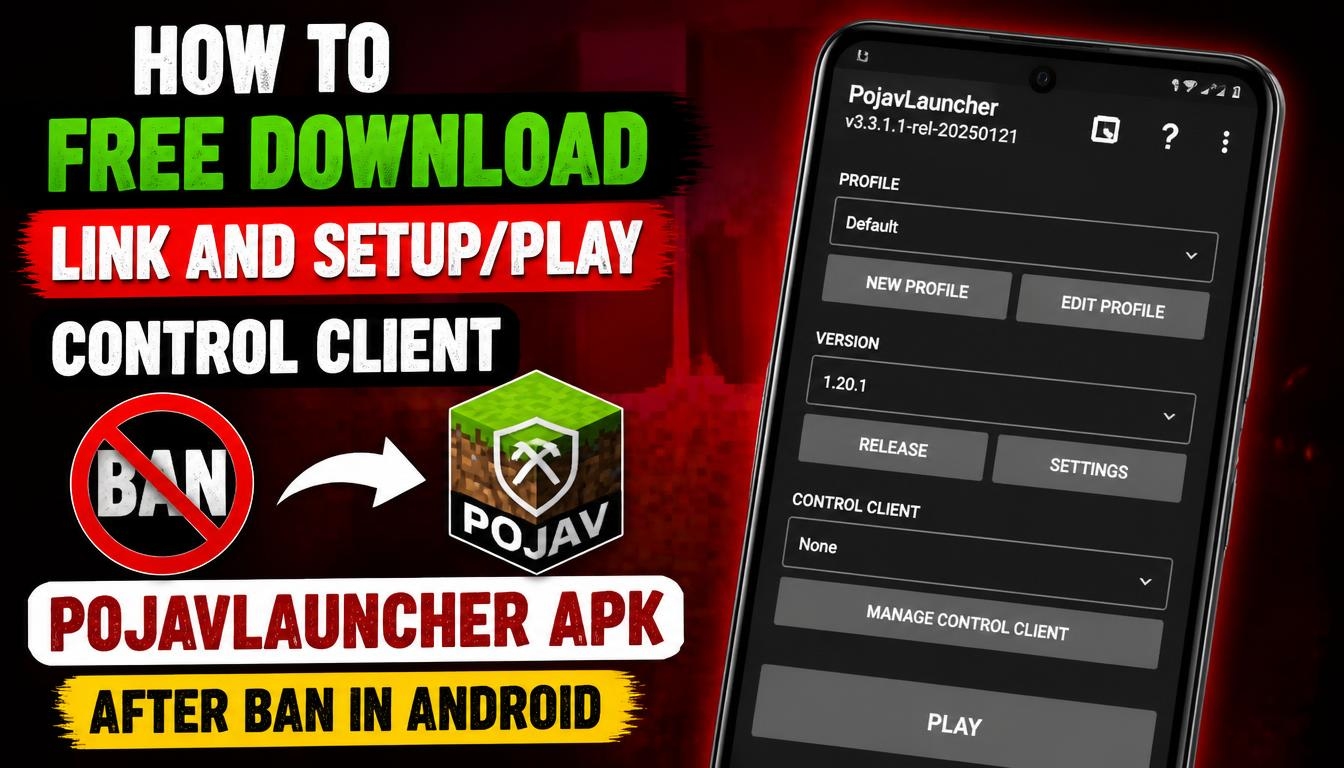
Playing Minecraft Java Edition on an Android smartphone is an interesting way to enjoy the familiar PC gaming experience without sitting in front of a computer.
PojavLauncher was created to make this possible by allowing Android users to launch Minecraft Java Edition directly on their mobile devices.
If you want to explore its features, configure the controls, and learn how to start playing, this guide will help you understand the installation and setup process.
What Is PojavLauncher?
PojavLauncher is an open-source Minecraft Java Edition launcher designed for Android and iOS devices. Unlike the standard Minecraft mobile edition, it allows players to run the Java version of the game, providing access to many familiar PC features, game versions, worlds, and modifications.
The launcher was especially popular among users who wanted to play Minecraft Java Edition on their smartphones. It included support for different Minecraft versions, customizable touchscreen controls, and mod loaders such as Forge and Fabric.
PojavLauncher was distributed as a free application, making it an interesting option for Minecraft fans who wanted to experiment with Java Edition on mobile devices.
PojavLauncher APK Download for Android
If you want to try the original PojavLauncher, you can find its archived Android application through the download link available on this website.
Before installing, remember that PojavLauncher is an archived project. Its last official release should not be confused with a new 2026 update. Always check the application version and compatibility with your Android device before installation.
The original source code and archived releases are available on the official developer repository: https://github.com/PojavLauncherTeam/PojavLauncher
PojavLauncher itself does not include a free Minecraft Java Edition license. You need a Microsoft account that owns Minecraft Java Edition to access the game.
How to Install PojavLauncher on Android
Installing an APK application on Android is relatively straightforward. First, download the installation file using the link provided on this website.
Open the downloaded APK file and allow Android to install applications from your browser or file manager if the system requests this permission. Review the installation details and complete the process. Once installation is finished, find the PojavLauncher icon in your application list and open it.
The first launch may require additional configuration and downloading the necessary game files. Follow the instructions displayed by the launcher and sign in using your Microsoft account.
After completing the initial setup, you can select a compatible Minecraft Java Edition version and prepare your game for launch.
How to Set Up PojavLauncher and Play Minecraft
After opening the launcher, you will see the main interface where you can configure your Minecraft installation.
Choose the Minecraft version you want to use. Keep in mind that older PojavLauncher builds may not support newer Minecraft releases, so selecting a compatible version is important.
You can also configure the Java runtime and graphics settings when necessary. The available options depend on the launcher build and the Minecraft version you want to run.
Before starting the game, it is worth checking the memory allocation and graphics settings. If your smartphone has limited RAM or an entry-level processor, using a lower render distance and simpler graphics settings can improve performance. When everything is ready, start Minecraft and wait for the game to load.
How to Customize PojavLauncher Controls
One of the most useful features of PojavLauncher is its customizable touchscreen control system. Minecraft Java Edition was originally designed for computers, so its standard keyboard and mouse controls are not always convenient on a smartphone.
PojavLauncher addresses this problem by providing an on-screen control layout. Open the Custom Controls section in the launcher menu. From there, you can enter the control editor and adjust the position of individual buttons.
You can add new buttons, resize existing ones, move them around the screen, and configure different keyboard actions. It is also possible to add a virtual joystick for easier character movement.
Once you have created a comfortable layout, save your configuration so that you can use it again later. This customization is particularly helpful when playing survival mode, exploring large worlds, or fighting enemies.
Can You Use a Keyboard, Mouse, or Gamepad?
Yes. PojavLauncher was designed to support external input devices, making the mobile gaming experience closer to playing Minecraft on a computer.
You can connect a compatible Bluetooth keyboard or mouse to your Android smartphone or tablet. A supported game controller can also make movement and gameplay more comfortable.
Using external accessories is especially convenient on larger screens, where you can enjoy a more traditional PC-style control experience.
Is PojavLauncher Still Working in 2026?
Although the original PojavLauncher project has been discontinued, archived versions of the application may still work on compatible Android devices.
However, there are some limitations. The launcher no longer receives official updates, and compatibility with newer Minecraft versions is not guaranteed. Some devices may also experience performance problems, graphical glitches, or unexpected crashes.
If you are interested in using PojavLauncher, it is important to understand that you are installing an archived application rather than actively maintained software.
Final Words
PojavLauncher remains an interesting project for Android users who want to experience Minecraft Java Edition on a smartphone.
Its customizable controls, support for external input devices, and compatibility with different game versions made it a popular choice among mobile Minecraft players.
Although development has ended, archived releases can still be explored by users with compatible devices and legitimate Minecraft Java Edition access.
If you want to try the original launcher, use the PojavLauncher download link provided on this website and follow the installation and configuration instructions above.
