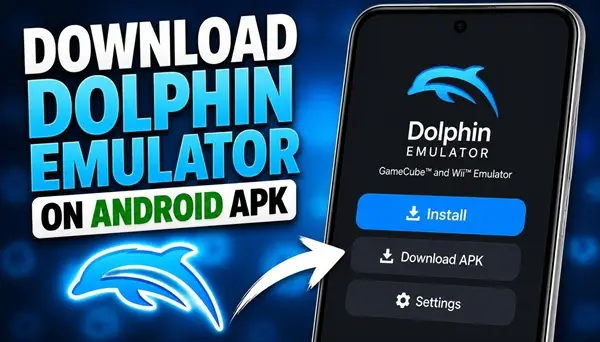
Dolphin Emulator is an emulator that allows you to play compatible Nintendo GameCube and Wii games on supported Android devices.
If you want to experience classic console games directly on your smartphone or tablet, you can download the Dolphin Emulator APK for Android and install the application on your device.
What Is Dolphin Emulator?
Dolphin Emulator is a popular open-source emulator designed for Nintendo GameCube and Wii games. The Android version brings many of the emulator’s features to mobile devices, allowing users to configure controls, adjust graphics settings, and play compatible games without needing the original console.
Performance depends on your smartphone’s processor, graphics hardware, Android version, and the game you want to play. Some titles run smoothly on capable devices, while others may require additional configuration.
Dolphin Emulator Features
Dolphin Emulator offers several useful features for Android gamers. It supports customizable on-screen controls, external controllers, graphics configuration, save states, and other options that can improve the gaming experience.
The emulator also provides settings for adjusting resolution and other rendering options. These features let users balance visual quality and performance according to their device’s capabilities.
How to Download Dolphin Emulator APK on Android
To download Dolphin Emulator, use the download button at the bottom of this article. After downloading the APK file, open it from your device’s Downloads folder and follow the installation instructions displayed by Android.
If Android asks for permission to install applications from your browser or file manager, allow the required permission for that app and continue with the installation. Once the process is complete, open Dolphin Emulator from your app list.
How to Use Dolphin Emulator on Android
After opening the emulator, select a folder containing your compatible game files. Dolphin Emulator can scan the selected directory and display supported games in its library.
You will need compatible game files obtained from games you own. The emulator does not automatically include Nintendo GameCube or Wii games. Depending on the title, you may also need to adjust the controller layout, graphics settings, or other options before playing.
For the best experience, use a smartphone with a capable processor and sufficient free storage. If a game runs slowly, try lowering the internal resolution or changing the graphics configuration.
Is Dolphin Emulator Free?
Yes. Dolphin Emulator is free and open-source software. You can use its Android version without purchasing a subscription to the emulator itself.
Conclusion
Dolphin Emulator makes it possible to play compatible Nintendo GameCube and Wii games on Android smartphones and tablets. With customizable controls, graphics options, and support for external controllers, it offers a flexible way to enjoy classic console gaming on a mobile device.
If you want to install it on your smartphone, scroll to the bottom of this article and tap the download button to get the Dolphin Emulator APK for Android.
