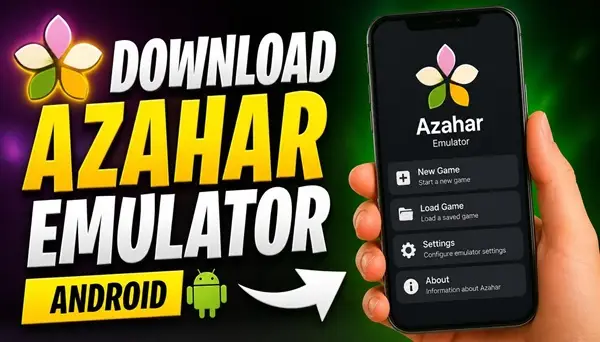
Would you like to play your favorite Nintendo 3DS games directly on your Android smartphone? Azahar Emulator makes it possible!
Download Azahar Emulator APK and turn your Android device into a portable Nintendo 3DS gaming system. Azahar is a free, open-source emulator developed for Android and other platforms.
Based on the legacy of Citra, it continues the development of Nintendo 3DS emulation, bringing classic handheld gaming experiences to modern devices.
What Is Azahar Emulator?
Azahar Emulator is designed to run Nintendo 3DS games on compatible Android smartphones and tablets. It allows you to enjoy your favorite games without carrying the original handheld console everywhere.
The emulator offers various features designed to improve your gaming experience, including customizable controls, graphics settings, save states and support for higher rendering resolutions. You can adjust the settings to find a balance between visual quality and performance that works best for your device.
Whether you want to revisit classic adventures, explore familiar game worlds or discover Nintendo 3DS titles for the first time, Azahar provides a convenient way to enjoy handheld gaming on Android.
Azahar Emulator Features
Azahar brings several useful features to Android users. Customizable on-screen controls let you adjust the layout to suit your playing style, while external controller support makes it possible to enjoy games with a more traditional console experience.
Graphics settings allow you to experiment with rendering resolution and other options to improve image quality. The emulator also supports save states, allowing you to save your progress and return to your adventures later.
Another advantage is that Azahar is open-source software and continues to receive contributions from its development community.
How to Install Azahar Emulator on Android
Installing Azahar Emulator is straightforward. Download the APK file available on this page and open it on your Android smartphone.
If Android displays a security warning, allow installation from this source in your device settings. Once the installation is complete, launch Azahar and follow the initial setup instructions.
You will need to select a folder containing your legally obtained Nintendo 3DS game files before you can start playing. The emulator does not include commercial games.
After configuring the necessary settings, you can open your game library and start enjoying Nintendo 3DS gaming directly on your smartphone.
Azahar Emulator Android Requirements
Azahar requires Android 10 or newer and a 64-bit device. The project’s published minimum hardware requirements include a Snapdragon 835 processor or better, GPU support for OpenGL ES 3.2 or Vulkan 1.1, and at least 2 GB of RAM. However, 4 GB of RAM or more is recommended.
Actual gaming performance depends on your smartphone’s processor, graphics hardware and the individual game. More demanding titles may require a considerably more powerful device.
Download Azahar Emulator APK
Ready to experience Nintendo 3DS games on your Android smartphone? Download Azahar Emulator APK using the download link available on this page and discover a new way to enjoy classic handheld games wherever you go.
Install the application, configure your game library and get ready for exciting gaming adventures on your Android device.
