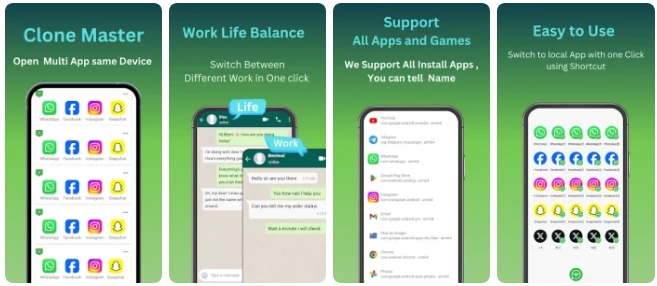
Clone Master APK is an Android app cloning tool that allows users to create additional copies of supported applications and use multiple accounts on the same smartphone. It can be useful for people who need separate profiles for work, personal communication, social media, or mobile gaming.
Instead of constantly logging out and switching between accounts, you can use cloned applications independently. This makes managing multiple profiles more convenient, especially when you need quick access to several accounts throughout the day.
Clone Apps and Use Multiple Accounts
One of the main features of Clone Master for Android is the ability to create duplicate versions of supported apps. After cloning an application, you can launch the original and cloned versions separately and sign in with different accounts.
This can be particularly useful for:
- WhatsApp and other messaging applications
- Social media accounts
- Business and personal profiles
- Multiple gaming accounts
- Applications that support separate user accounts
For example, you can keep one account for work and another for personal communication without constantly entering your login details again.
Clone Master for Work and Personal Accounts
Using several accounts on one device is especially convenient for freelancers, business owners, social media managers, and other users who communicate through multiple profiles.
With a cloned application, work messages can remain separate from personal conversations. Notifications from different accounts can also be managed independently, making it easier to respond to customers, colleagues, friends, or followers without switching profiles repeatedly.
For users who regularly manage several social media or business accounts, an app cloner for Android can save time and make everyday account management much easier.
Privacy for Cloned Applications
Another useful aspect of Clone Master is the ability to keep cloned applications separated from their original versions. Depending on the application and Android version, additional security options may be available for protecting individual app copies.
A password or pattern can help prevent other people from opening a particular cloned application. Separate app environments can also make it easier to distinguish the data associated with different accounts.
This can be useful for users who keep private conversations, business communications, or other personal information on their smartphone.
Optimized Android Performance
Running multiple copies of applications can require additional system resources. Clone Master is designed to manage cloned applications efficiently while minimizing unnecessary memory and processor usage.
The goal is to provide a smooth experience when several accounts are active on the same Android device. Storage requirements may also vary depending on the applications being cloned, their data, and the Android system.
For the best performance, it is recommended to keep enough free storage space and RAM available on your smartphone.
Customize Cloned App Shortcuts
Having several identical icons on the home screen can make it difficult to determine which account you are about to open. Clone Master provides customization options that can help organize cloned applications.
You can use different names or visual identifiers for duplicate apps, making it easier to recognize them immediately. For example, you could identify one copy as Work, another as Personal, and another as a secondary account.
This simple organization makes navigating between multiple profiles faster and more convenient.
Clone Games on Android
Clone Master can also be useful for mobile gaming. If a game is compatible with the cloning function, users may be able to create a second copy and log in with another gaming account.
This can be useful for players who maintain multiple characters, manage separate profiles, or want to collect rewards from different accounts. Instead of using another smartphone, multiple supported game accounts can potentially be managed from one Android device.
Game compatibility depends on the individual application, Android version, and the restrictions implemented by the game developer.
Clone Master APK Features
Some of the main features associated with Clone Master include:
- Create duplicate copies of supported Android apps
- Use multiple accounts on one smartphone
- Separate work and personal profiles
- Clone supported social media and messaging apps
- Manage multiple gaming accounts
- Customize cloned app shortcuts
- Protect individual app copies when supported
- Organize multiple accounts more efficiently
- Reduce the need for a second smartphon
How to Download Clone Master APK
Official website:
no
OS:
Android
Interface:
English
Final Thoughts
Clone Master for Android can be a convenient solution for anyone who needs to manage multiple accounts from a single device. By creating separate copies of compatible applications, it simplifies the process of switching between personal, professional, social media, and gaming profiles.
If your smartphone supports the required features, Clone Master APK can provide a simple way to organize multiple accounts without constantly signing out of the original application.
