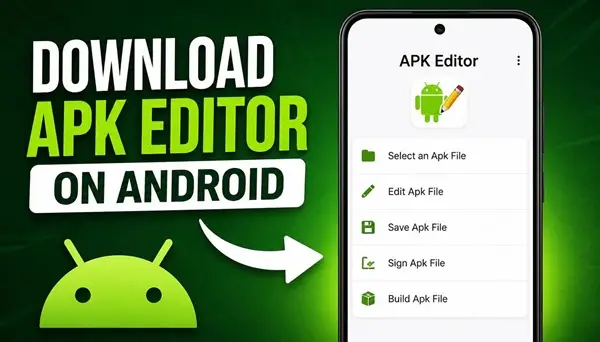
APK Editor is a tool for Android users who want to explore and modify APK files. An APK is the file format used to distribute and install Android applications. With an APK editor, you can inspect an application’s package, work with certain resources, and make changes to supported files.
If you want to download APK Editor on your Android smartphone, this guide explains what the app does, what features you can expect, and how to get started.
What Is APK Editor?
APK Editor is an Android application designed to work with APK files. Depending on the version, it may offer tools for viewing and editing application resources, changing selected elements, and rebuilding modified APK packages.
It can be useful for users who want to learn more about how Android applications are structured or experiment with supported modifications. However, available features depend on the specific APK Editor version, and some applications cannot be modified successfully because of technical restrictions.
APK Editor Features
APK Editor may include several tools for working with Android application packages.
APK file editing: Open supported APK files and examine their contents.
Resource modification: Depending on the version, edit certain resources, such as text strings, images, or other application elements.
Application customization: Experiment with supported changes to customize selected parts of an application.
APK package management: Work with APK files stored in your device’s internal storage or other accessible folders.
Modified APK creation: Some versions allow you to rebuild an APK after making supported changes. The resulting package may need to be signed before Android can install it.
The exact tools available depend on the version you install.
How to Download APK Editor on Android
To get APK Editor on your Android phone, first locate the download button at the bottom of this article.
After downloading the APK file, open it from your browser’s downloads section or your phone’s file manager. Tap the downloaded file to begin installation.
If Android displays a message that installation from this source is not allowed, open the relevant settings page and allow your browser or file manager to install unknown apps, if you trust the source. Return to the downloaded APK and try again.
Once installation is complete, open APK Editor and follow the instructions displayed on your screen.
How to Use APK Editor
After launching the application, select the APK file you want to work with. Depending on the version, you may be able to choose between different editing options.
Explore the available tools and select a supported element to modify. When you finish, use the relevant save, rebuild, or export option if the application provides one.
Keep in mind that editing an APK does not guarantee that the modified application will work correctly. Some apps use signature verification, integrity checks, or other protections that can prevent modified packages from running.
Is APK Editor Compatible With All Android Phones?
Compatibility depends on the APK Editor version and your Android version. Some older releases may not work correctly on newer Android devices, while newer Android security restrictions can affect installation and file access.
Samsung Galaxy, Xiaomi, Redmi, Motorola, and other Android phones may support APK installation, but this does not guarantee that every APK Editor release will function properly on every device.
Why Can’t I Install APK Editor?
If APK Editor does not install, check whether the downloaded file is complete and compatible with your device. Android may also block an installation because of security settings, an incompatible package, or a conflict with an existing application.
If the app installs but fails to open or edit a particular APK, the problem may be related to the editor’s age, the target application’s structure, or Android compatibility.
Conclusion
APK Editor can be useful for Android users interested in exploring APK files and modifying supported application resources. Before installing it, make sure the version is compatible with your device and comes from a source you trust.
To get started, use the download button at the bottom of this article to download APK Editor for Android and follow the installation instructions above.
